For decades, the back of every desktop computer and monitor featured a familiar array of chunky, pin-filled connectors. Today, sleek HDMI and DisplayPort cables dominate the market, but older standards like VGA and DVI refuse to disappear entirely.
A recent piece from the technology publication BGR dives into the practical differences between these two legacy video ports, sparking renewed interest among hardware enthusiasts. This story is particularly useful for anyone who is trying to set up a home office on a budget or looking to breathe new life into an aging secondary monitor sitting in their closet.
Why it matters
The conversation around legacy ports is gaining traction as consumers increasingly look to repurpose older electronics. Electronic waste is a massive global issue, and many users are realizing that perfectly functional hardware is being discarded simply because the connection standards have evolved.
The exploration of DVI and VGA highlights a growing trend in the tech community: retro-computing and sustainable hardware use.
Also, the secondary market for electronics remains incredibly robust. People purchasing used monitors for dual-screen setups often find themselves staring at unfamiliar blue or white ports.
Because modern laptops and graphics cards frequently lack these older inputs, users are forced to navigate a maze of adapters and converters. The renewed interest in this topic reflects a practical need to bridge the gap between early 2000s display technology and modern computing power.
The catch
At the core of the discussion is the fundamental technological shift from analog to digital signal processing. The question is how to decode which port is better suited for their specific needs and why they cannot always just buy a cheap cable to fix their connection problems.
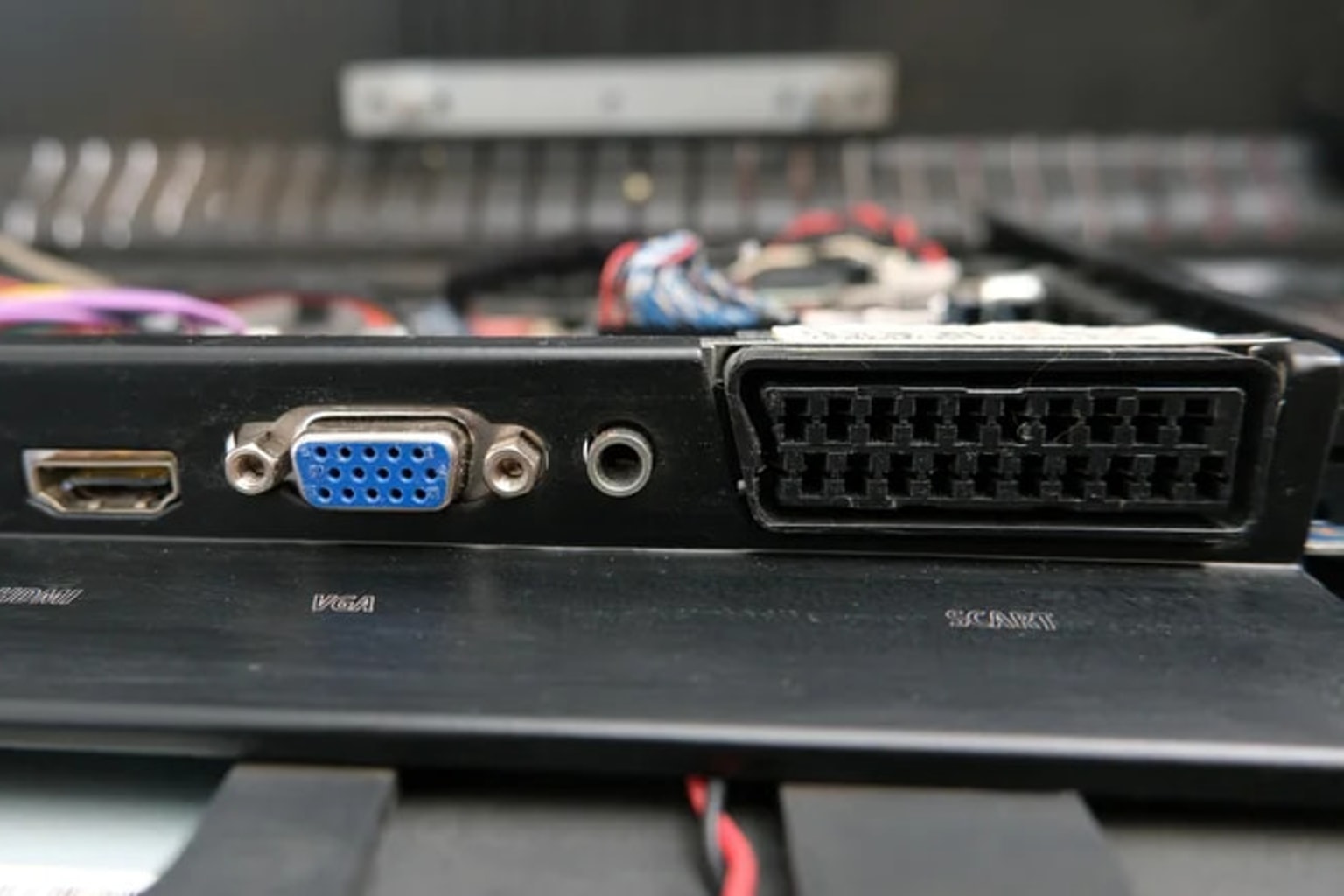
VGA, or Video Graphics Array, is the older of the two standards. Easily identifiable by its blue, 15-pin connector, VGA transmits an analog signal.
Because modern computers generate digital signals and modern LCD screens display digital images, using VGA requires the signal to be converted to analog and then back to digital. This double conversion can lead to image degradation, ghosting, or a generally softer picture, especially at higher resolutions.
DVI, or Digital Visual Interface, represents the transitional step between the analog past and the high-definition digital future. Typically featuring a larger, white connector, DVI is uniquely versatile.
Depending on the specific type of DVI port—such as DVI-A (analog), DVI-D (digital), or DVI-I (integrated)—it can transmit either analog or digital signals, or both. the open question is that a DVI-D connection will provide a noticeably sharper image than VGA because it keeps the video signal entirely digital from the computer to the monitor.
Understanding these nuances helps consumers avoid purchasing the wrong adapters and ensures they get the best possible picture quality from their legacy equipment.
What to verify
for attempting to connect a legacy monitor to a modern machine, there are several technical details the practical step is to confirm before purchasing cables or adapters. First, verify the exact type of DVI port on the hardware.
A DVI-D cable will not fit into a DVI-A port, and forcing it can bend the delicate pins.
Next, check whether need an active or passive adapter. Converting a purely digital signal (like HDMI) to an analog VGA signal requires an active converter with a built-in chip, not just a simple cable.
Finally, verify the maximum resolution supported by the specific hardware combination. While dual-link DVI can handle relatively high resolutions, standard VGA often struggles to deliver a crisp image on modern widescreen displays operating above standard high-definition formats.
Source trail
The primary catalyst for this discussion is the recent hardware retrospective published by BGR, titled “DVI Vs. VGA: What’s The Difference Between These Legacy Video Ports?”
can read their full breakdown of the technology on the BGR website. For a deeper dive into the technical specifications of display standards, the Video Electronics Standards Association (VESA) provides extensive historical documentation on how these connections were developed and standardized.
While VGA and DVI have been largely superseded by newer technologies, they remain highly relevant for retro computing and repurposing older displays. VGA relies on analog signals that can degrade image quality, whereas DVI offers a digital alternative that provides a much sharper picture, provided have the correct cables and adapters.